
From Idea to Website: A Student’s Guide to Getting Started
The complete student website development guide to transform your brilliant idea into a professional website with step-by-step instructions designed specifically for students

Introduction
Have you ever had a brilliant idea for a website but felt overwhelmed by where to start? This comprehensive student website development guide will walk you through every step needed to turn your concept into reality. Whether you’re dreaming of launching the next social media platform, creating a portfolio to showcase your work, or building a platform to solve a problem you’ve identified, website development for students is more achievable than you might think.
This comprehensive student website development guide will walk you through every step of the journey from initial idea to live website, providing practical advice tailored specifically for students working with limited budgets and tight schedules. If you’re interested in understanding why web development is particularly valuable for students, check out our guide on Why African Students Should Learn Web Development in 2025.
According to recent studies by Statista, over 4.9 billion people use the internet globally, making website development skills increasingly valuable for students entering the job market.
Step 1: Refine and Validate Your Idea
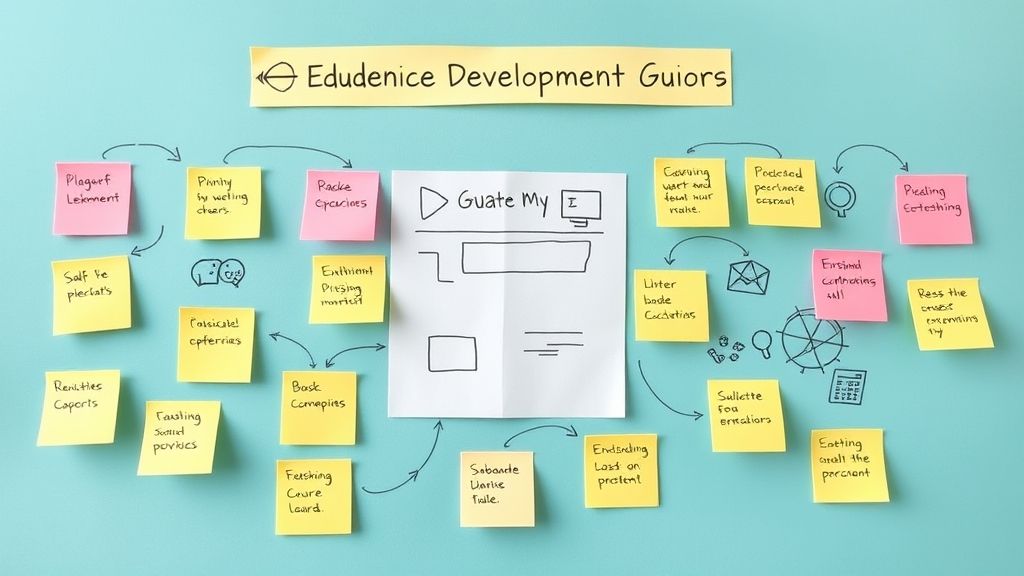
Define Your Website’s Purpose
Before diving into the technical aspects of your student website development guide journey, clearly articulate what your website will accomplish:
- What problem does it solve? Identify the specific need your website addresses
- Who is your target audience? Define your ideal users with specific demographics and interests
- What makes it unique? Determine your competitive advantage or unique selling proposition
- What’s your primary goal? Whether it’s education, entertainment, commerce, or community building
Validate Your Concept
Test your idea before investing significant time and resources:
Conduct informal surveys among friends, classmates, or online communities to gauge interest. Create a simple landing page describing your concept and measure visitor engagement. Research competitors to understand what exists and identify gaps you can fill. Start small with a minimal version to test core functionality before expanding.
Document Your Vision
Write a clear, one-page summary including your website’s mission statement, target audience description, key features list, and success metrics. This document will guide your decisions throughout the development process.
Step 2: Plan Your Website Structure
Choose Your Website Type
Select the format that best serves your goals:
Personal Portfolio showcases your work, skills, and achievements. Blog or Content Site shares knowledge, opinions, or entertainment. E-commerce Store sells products or services online. Community Platform connects like-minded individuals. Educational Resource provides learning materials or courses. Service-Based Site promotes consulting, freelancing, or professional services.
Map Your Site Structure
Create a sitemap outlining your main pages and navigation flow:
- Homepage – your digital front door that clearly communicates your value proposition
- About Page – builds trust by sharing your story and credentials
- Core Content Pages – deliver your main value to visitors
- Contact Page – makes it easy for visitors to reach you
- Additional Pages – FAQ, testimonials, blog, or resource sections as needed
Design Your User Experience
Consider how visitors will navigate your site. Create wireframes or sketches showing page layouts. Plan your content hierarchy with clear headings and logical flow. Ensure mobile-friendly design since many users browse on phones. Optimize loading speed by planning for compressed images and efficient code.
Step 3: Choose Your Tools and Platform

Website Building Options for Students
This section of our student website development guide covers the best platforms for beginners:
Website Builders (Beginner-Friendly)
- Wix – drag-and-drop interface with student discounts
- Squarespace – professional templates with built-in features
- Weebly – simple interface ideal for basic sites
- WordPress.com – user-friendly version of the popular CMS
Content Management Systems (More Flexible)
- WordPress.org – highly customizable with thousands of plugins
- Ghost – excellent for blogs and content-focused sites
- Drupal – powerful but complex, good for learning
Code-From-Scratch (Most Control)
- HTML/CSS/JavaScript – build everything yourself
- Frameworks like React, Vue, or Angular for dynamic sites
- Static Site Generators like Jekyll or Gatsby
Consider Your Budget
Free Options include WordPress.com basic plan, Wix free tier, and GitHub Pages for static sites. Low-Cost Solutions range from $5-15/month for basic hosting and domain. Student Discounts are available through GitHub Student Pack, which includes free hosting, domains, and development tools.
Factor in Your Technical Skills
Be honest about your current abilities and time available to learn. Website builders require no coding knowledge but offer less customization. Content management systems need basic technical understanding but provide more flexibility. Custom coding offers complete control but requires significant learning investment.
Step 4: Set Up Your Online Presence
Register Your Domain Name
Your domain is your website’s address on the internet:
Choose something memorable that reflects your brand or purpose. Keep it short and simple – avoid hyphens, numbers, or complex spellings. Consider different extensions – .com is most recognized, but .org, .net, or newer extensions might work. Check availability across social media platforms for consistent branding.
For detailed guidance on selecting the perfect domain name, especially if you’re building a business website, read our Complete Guide to Choosing a Domain Name for Your African Business.
Where to Register: Nofcas, GoDaddy, or Google Domains offer competitive pricing and student discounts.
Select Web Hosting
Web hosting stores your website files and makes them accessible online:
Shared Hosting (KES 390-1300/month) works well for new sites with moderate traffic. VPS Hosting (KES 1500- 5600/month) offers more control and resources. Cloud Hosting (pay-as-you-go) scales with your needs. Free Hosting exists but often includes ads and limitations.
Recommended Student-Friendly Hosts: Bluehost, SiteGround, or DigitalOcean for cloud hosting.
SSL Certificate and Security
Ensure your website is secure with an SSL certificate (most hosts provide free ones). This encrypts data between your site and visitors, building trust and improving search engine rankings.
Step 5: Design and Develop Your Website

Start with a Strong Foundation
This crucial phase of your student website development guide focuses on creating an effective design:
Choose a professional template that aligns with your purpose and audience. Customize colors, fonts, and imagery to match your brand identity. Prioritize mobile responsiveness since over 50% of web traffic comes from mobile devices. Optimize for speed by compressing images and minimizing plugins.
Create Compelling Content
Your content is what keeps visitors engaged and coming back:
Write clear, benefit-focused headlines that immediately communicate value. Use conversational tone that resonates with your target audience. Include high-quality images that enhance your message (use free resources like Unsplash or Pexels). Optimize for search engines with relevant keywords naturally integrated into your content.
Essential Pages Every Website Needs
Homepage should clearly explain what you offer and why visitors should care. About Page builds credibility by sharing your story, qualifications, and mission. Contact Page makes it easy for visitors to reach you with multiple contact options. Privacy Policy and Terms of Service protect you legally and build user trust.
Test Everything
Before launching, thoroughly test your website across different devices and browsers. Check that all links work properly, forms submit correctly, and pages load quickly. According to Google’s PageSpeed Insights, website speed significantly impacts user experience and search rankings. Ask friends to navigate your site and provide feedback on user experience.
Step 6: Launch and Optimize
Pre-Launch Checklist
Review all content for spelling and grammar errors. Verify contact forms work and emails are delivered. Test website speed using tools like Google PageSpeed Insights. Ensure all images have alt text for accessibility. Set up Google Analytics to track visitor behavior.
Go Live
When you’re confident everything works properly, it’s time to launch. Point your domain to your hosting server, remove any “coming soon” pages, and announce your launch on social media and to your network.
Post-Launch Optimization
Monitor Performance using Google Analytics and Search Console to understand visitor behavior. Gather Feedback from users and iterate based on their suggestions. Create Fresh Content regularly to keep visitors engaged and improve search rankings. Build Backlinks by guest posting, collaborating with others, or creating shareable content.
Marketing Your New Website
Search Engine Optimization (SEO)
Keyword Research helps you understand what your audience searches for. On-Page Optimization includes optimizing titles, headings, and content for relevant keywords. Technical SEO ensures search engines can crawl and index your site properly. Content Marketing through blogging attracts organic traffic over time.
Social Media Integration
Connect your website to relevant social media platforms where your audience spends time. Share valuable content consistently, engage with your community, and use social media to drive traffic back to your website.
Email Marketing
Start building an email list from day one by offering valuable content or resources in exchange for email addresses. Email marketing typically offers the highest return on investment for most websites.
Common Mistakes to Avoid
Perfectionism Paralysis – don’t wait for everything to be perfect before launching. Ignoring Mobile Users – always test on mobile devices during development. Overwhelming Navigation – keep menus simple and intuitive. Slow Loading Speed – optimize images and choose reliable hosting. No Clear Call-to-Action – tell visitors what you want them to do next.
Many businesses make critical errors during their digital transformation journey. To avoid common pitfalls that could derail your website project, read about African SME Digital Transformation Mistakes: 8 Critical Errors to avoid.
Budget-Friendly Resources for Students
Free Design Resources
- Canva for graphics and social media images
- Unsplash and Pexels for high-quality stock photos
- Google Fonts for professional typography
- Figma for wireframing and design mockups
For more free tools that can help streamline your website development process, explore our list of 10 Free Digital Tools Every African SME Should Use Today.
Development Tools
- GitHub Student Pack includes free hosting, domain credits, and development tools
- Visual Studio Code free code editor with excellent extensions
- Chrome DevTools for debugging and optimization
- W3Schools and Mozilla Developer Network for learning web technologies
Analytics and SEO
- Google Analytics for website traffic analysis
- Google Search Console for search performance monitoring
- Ubersuggest free version for basic keyword research
- GTmetrix for website speed testing
Measuring Success
Define clear metrics that align with your website’s purpose:
Traffic Metrics include unique visitors, page views, and session duration. Engagement Metrics cover bounce rate, pages per session, and social shares. Conversion Metrics track email signups, contact form submissions, or sales. Search Rankings monitor your visibility for relevant keywords.
Set up monthly reviews to analyze these metrics and adjust your strategy accordingly.
Next Steps and Scaling
Once your website is live and gaining traction, consider these growth strategies:
Advanced Features like e-commerce functionality, membership areas, or interactive elements. Professional Email Marketing tools like Mailchimp or ConvertKit. Paid Advertising through Google Ads or social media platforms. Content Expansion through guest posting, podcasting, or video content.
Remember that building a successful website is a marathon, not a sprint. Focus on providing genuine value to your audience, and success will follow.
Conclusion
This student website development guide has provided you with a comprehensive roadmap to transform your idea into a functional website. Building a successful website might seem daunting initially, but by following this student website development guide and breaking the process into manageable steps, any student can achieve this goal. The key is starting with a clear vision, choosing the right tools for your skill level and budget, and focusing on creating genuine value for your audience.
Your website is more than just a digital presence – it’s a platform to share your ideas, build your professional reputation, and potentially create new opportunities. The skills you develop through this process, from project management to digital marketing, will serve you well throughout your academic and professional career.
In today’s interconnected world, having a strong online presence isn’t just beneficial – it’s essential. If you’re considering turning your website into a business venture, understand that going digital is no longer optional for African businesses and learn to recognize the 5 signs your business needs to go digital now.
Don’t wait for the perfect moment or until you have all the answers. Start with your current knowledge and resources, learn as you go, and remember that every successful website began with someone taking that first step from idea to reality.
The digital world is waiting for your unique contribution. Take that first step today, and begin building something amazing.
📢 Stay Connected: Join our official Telegram channel for updates:
→ Nofcas Official Channel📱 Stay Connected: Join our WhatsApp channel for updates and insights.
→ Nofcas WhatsApp Channel👨🎓 Join the Digital Builders Community on Telegram:
→ Digital Builders Community